Cross-browser testing validates that web applications provide consistent functionality, appearance, and user experience across browsers and versions.
Cross-browser testing validates that web applications function consistently across different browsers, browser versions, operating systems, and devices. As enterprises deploy business-critical applications to diverse user populations accessing systems through Chrome, Safari, Firefox, Edge, and mobile browsers across Windows, macOS, iOS, and Android, ensuring consistent functionality and user experience becomes paramount. A Salesforce implementation working perfectly in Chrome but breaking in Safari creates business disruption, user frustration, and lost productivity.
Traditional cross-browser testing involves manually executing test scenarios across multiple browser-OS combinations, consuming excessive time and achieving inadequate coverage. Manual approaches cannot validate the exponential combinations of browsers, versions, devices, and screen sizes characterizing modern web usage. Organizations struggle to balance comprehensive cross-browser validation against limited QA resources and compressed testing timelines.
AI-native cross-browser testing automation transforms this through intelligent test execution across cloud-based browser infrastructure, self-healing test maintenance surviving browser updates, and parallel execution compressing validation from days to hours. Enterprises report 90% reduction in cross-browser testing effort while achieving comprehensive coverage across dozens of browser-device combinations ensuring consistent user experiences.
This guide explains what cross-browser testing is, why it matters for enterprise applications, and how modern automation enables comprehensive validation without overwhelming QA teams.
Cross-browser testing validates that web applications provide consistent functionality, appearance, and user experience across different browsers and browser versions. Rather than assuming applications work identically everywhere, cross-browser testing explicitly verifies behavior across the diverse browser ecosystem users actually employ.
Consider an enterprise Salesforce implementation. Sales representatives might access the system through Chrome on Windows laptops, Safari on MacBooks, mobile Safari on iPads, and Chrome on Android tablets. Service representatives using different devices access through Firefox. Executives use Edge on Surface tablets. Each browser renders HTML, executes JavaScript, and handles CSS differently. Lightning components behaving perfectly in Chrome might render incorrectly in Safari, break in Firefox, or exhibit performance issues in older Edge versions.
Cross-browser testing validates that despite browser differences, users experience consistent application behavior. Forms accept data correctly, validation rules fire appropriately, workflows execute as intended, and visual layouts render acceptably regardless of browser choice. This consistency determines whether applications serve entire user populations or create fragmented experiences where certain browser users face defects others don't encounter.
The scope extends beyond different browser types to include browser versions, as each release introduces rendering changes, JavaScript engine updates, and standards compliance evolution. Testing Chrome alone is insufficient when users employ Chrome versions spanning the past two years with different capabilities and behaviors. Comprehensive cross-browser testing addresses browser types, versions, operating systems, and device categories creating hundreds or thousands of potential combinations.
Understanding cross-browser testing requires appreciating the modern browser landscape's complexity and diversity.
Chromium powers Chrome, Edge, Opera, Brave, and many others. WebKit underlies Safari on macOS and iOS. Gecko runs Firefox. Each engine renders HTML, executes JavaScript, and handles CSS with subtle differences affecting application behavior. What works in Chromium may fail in WebKit or Gecko.
Users don't uniformly upgrade to latest browser versions. Enterprise IT policies often mandate specific browser versions for stability and security validation. Consumer users may delay updates or use unsupported legacy versions. Applications must function across version ranges typically spanning 2-3 years for major browsers.
Browser behavior depends on underlying operating systems. Chrome on Windows renders fonts differently than Chrome on macOS. Safari on iOS has capabilities and limitations differing from Safari on macOS. Operating system APIs, font rendering, and hardware acceleration create platform-specific behaviors.
Desktop browsers, mobile browsers, and tablet browsers exhibit different characteristics. Mobile browsers have touch interfaces, smaller screens, and potentially limited memory compared to desktop counterparts. Responsive designs must adapt across device categories while maintaining functionality.
Browsers operate in different modes including desktop mode, mobile mode, and compatibility modes. Users can force mobile rendering on desktop or request desktop sites on mobile devices. Applications must handle these mode variations gracefully.
Web standards evolve continuously. Browser vendors implement new standards at different rates. Some features work in cutting-edge browsers but fail in older versions. Applications using modern JavaScript features, CSS properties, or HTML elements may break in browsers lacking support.
Organizations implementing cross-browser testing face predictable challenges determining success or failure.

Testing three browsers across two operating systems at three versions creates 18 combinations. Adding mobile devices, screen sizes, and special configurations creates hundreds of scenarios. Manual testing cannot cover this combinatorial space within reasonable timeframes or budgets.
Maintaining testing environments with multiple browser versions, operating systems, and devices requires significant infrastructure investment and ongoing maintenance. Virtual machines, emulators, and real devices demand resources and expertise.
Running comprehensive test suites across dozens of browser-device combinations sequentially requires days or weeks. Extended execution blocks rapid release cycles and prevents continuous testing integration.
Browser-specific timing, rendering speeds, and resource availability create flaky tests passing inconsistently. Determining whether failures indicate application defects or test environment issues consumes significant investigation effort.
Browser updates occur continuously. Tests using browser-specific element identification or timing assumptions break as browsers evolve. Maintaining test stability across browser updates compounds standard test maintenance challenges.
Mobile device fragmentation particularly iOS and Android creates vast device-specific testing requirements. Screen sizes, resolutions, capabilities, and browser versions multiply testing scope exponentially.
QA teams lack capacity to manually execute tests across all relevant browser-device combinations. Prioritizing which combinations to test creates coverage gaps where defects escape affecting untested user segments.
These challenges explain why many enterprises struggle with cross-browser testing despite recognizing its importance. Success requires modern automation approaches addressing these fundamental challenges.

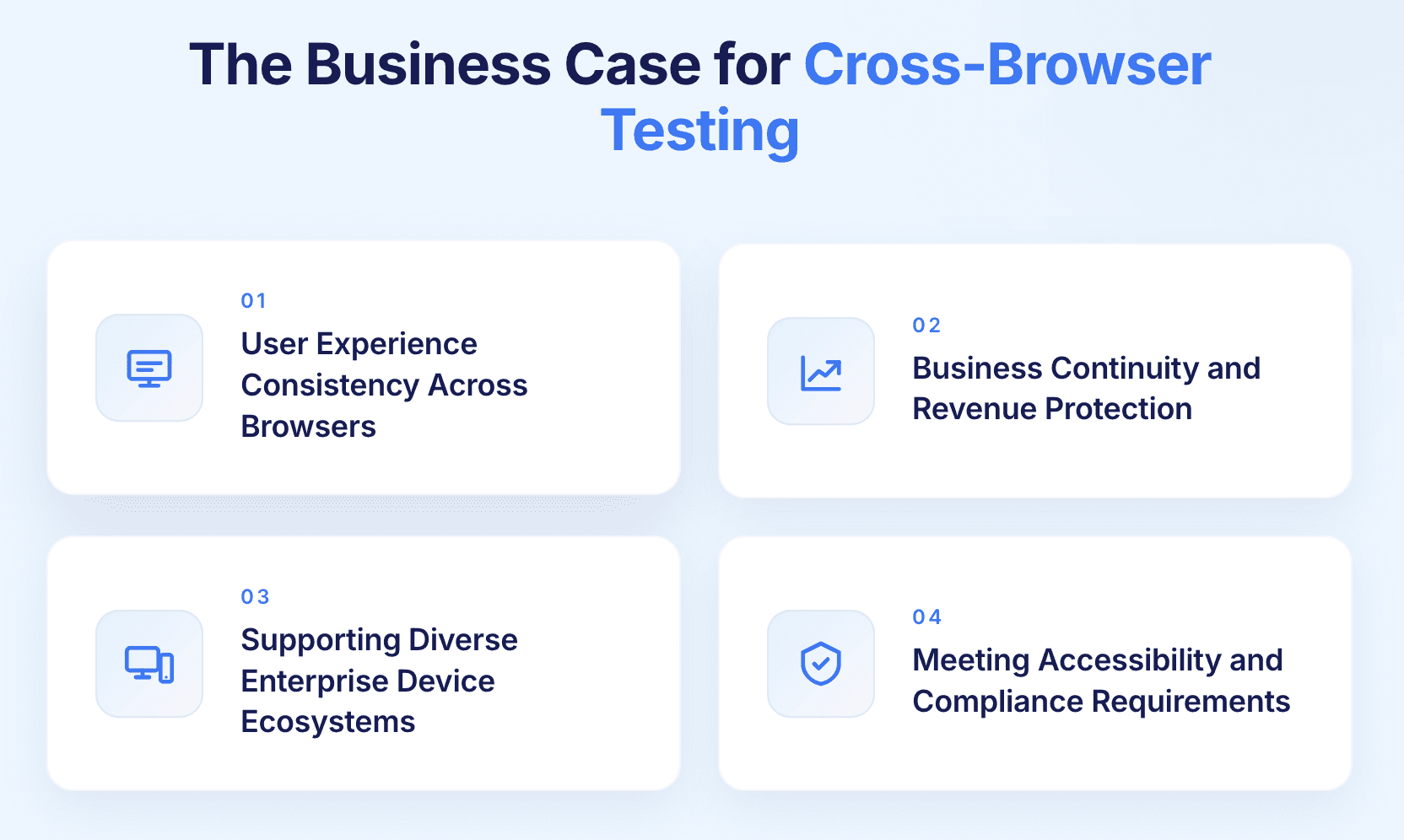
Enterprise applications serve diverse user populations employing different browsers based on personal preference, corporate standards, or device capabilities.
Inconsistent experiences damage brand perception. Users encountering broken layouts, non-functional features, or poor performance in their preferred browser question application quality and organizational competence.
Enterprise application adoption depends on positive user experiences. Sales representatives struggling with Salesforce Lightning components rendering incorrectly in their browser lose productivity and develop negative attitudes toward the platform. Cross-browser issues create adoption barriers and user resistance.
Competitors providing consistent cross-browser experiences gain advantages. B2B SaaS applications working flawlessly across all browsers demonstrate polish and professionalism differentiating from competitors with browser-specific issues.
Cross-browser defects generate support tickets consuming help desk resources. Users reporting that features work in Chrome but fail in Safari create repetitive support interactions. Proactive cross-browser testing prevents these support costs.
Browser-specific defects create tangible business impact beyond user experience concerns.
E-commerce checkout processes, payment systems, and order forms failing in specific browsers directly lose revenue. One retail company discovered their mobile Safari payment integration broke during iOS update, preventing purchases from 20% of mobile users for three days before detection.
Enterprise users unable to complete workflows in their browser lose productivity. Service representatives unable to create cases, sales teams unable to update opportunities, or managers unable to approve workflows experience business disruption costing thousands in lost productive hours.
Regulatory-required functionality that fails in certain browsers creates compliance gaps. Financial services applications must provide audit trails, healthcare systems must maintain HIPAA compliance, and public sector applications must meet accessibility requirements regardless of browser choice.
Enterprise software contracts often specify performance and functionality requirements. Browser-specific failures preventing users from accessing contracted functionality create SLA violations and legal liabilities.
Users frustrated by browser-specific issues switch to competitors offering better cross-browser support. This market share erosion compounds over time as negative experiences spread through user communities.
Modern enterprises deploy heterogeneous device ecosystems requiring comprehensive cross-browser validation.
Bring-your-own-device policies mean employees access enterprise applications through personal devices running various browsers. IT departments cannot mandate specific browsers when users own devices, requiring applications to function universally.
Field service representatives, sales teams, and remote workers access applications through mobile devices with varying browsers. Cross-browser testing must validate mobile browser functionality alongside desktop validation.
International users employ different browser preferences. Safari dominates in Western markets. Other browsers lead in specific regions. Applications serving global audiences must support regional browser preferences.
Enterprise IT environments often maintain older browser versions for application compatibility or security validation. New applications must function in these legacy browser contexts despite lacking modern browser features.
External stakeholders including vendors, partners, and customers access enterprise applications through unknown browsers and devices. Supporting this external access requires broad cross-browser compatibility.
Organizations embracing device diversity through comprehensive cross-browser testing achieve higher user satisfaction and business continuity compared to those assuming homogeneous browser usage.
Accessibility standards and legal requirements mandate cross-browser compliance creating regulatory obligations.
Web Content Accessibility Guidelines require accessible experiences regardless of browser or assistive technology. Screen readers, keyboard navigation, and accessibility features must function consistently across browsers. Failing accessibility in specific browsers creates legal liabilities under ADA and similar regulations.
US federal agencies and contractors must ensure applications meet Section 508 accessibility standards across browsers. Browser-specific accessibility failures violate federal requirements.
European Accessibility Act, Canadian accessibility legislation, and similar regional requirements mandate cross-browser accessibility. Organizations operating internationally must validate accessibility across browsers supporting different accessibility APIs and assistive technologies.
Financial services, healthcare, and other regulated industries face browser-compatibility requirements in industry standards. Payment processing must work across browsers, healthcare portals must maintain HIPAA compliance universally, and financial reporting must function consistently.
Accessibility compliance requires explicit cross-browser validation as assistive technology integration, keyboard navigation, and ARIA attribute handling varies across browsers.
Comprehensive cross-browser testing requires strategic coverage selection balancing thoroughness against resource constraints.
Analyze actual user analytics identifying which browsers, versions, and devices your users employ. Prioritize testing for browser-device combinations representing significant user populations. If 60% of users employ Chrome on Windows, 25% use Safari on macOS, and 10% use Safari on iOS, allocate testing effort proportionally.
Weight browser coverage by business impact. Revenue-generating workflows warrant testing across broader browser range than administrative functions. Customer-facing applications require more comprehensive validation than internal tools.
Different regions exhibit different browser preferences. Applications serving primarily Western markets prioritize Safari and Chrome. Applications targeting specific regions adjust coverage reflecting local browser distributions.
Establish how many previous browser versions to support. Common practice supports current version plus 1-2 previous versions. Enterprise applications may require longer support windows accommodating organizational upgrade policies.
Define which device categories warrant testing including desktop browsers, tablets, and mobile devices. Responsive applications require validation across device categories while desktop-only applications focus on desktop browser coverage.
Determine which OS combinations need validation. At minimum test Windows and macOS for desktop, iOS and Android for mobile. Comprehensive testing includes multiple OS versions.
Organizations must balance manual testing's flexibility against automation's scalability.
Human testers excel at visual validation, usability assessment, and exploratory testing. They identify layout issues, font rendering problems, and user experience friction that automated scripts might miss. Manual testing particularly valuable for subjective visual quality and user experience evaluation.
Manual execution across multiple browser-device combinations is time-consuming, expensive, and achieves limited coverage. Human testers cannot exhaustively validate dozens of browser combinations within compressed testing timelines. Manual testing also suffers from consistency issues as different testers evaluate subjectively.
Automation scales to comprehensive browser-device coverage through parallel execution. Automated tests run identically across all browsers ensuring consistent validation. Automation integrates with CI/CD pipelines enabling continuous cross-browser validation. Cost per test execution approaches zero after initial automation investment.
Traditional automation requires maintenance as browsers evolve. Browser-specific timing issues create flaky tests. Automated visual validation challenging though improving through AI-powered visual testing.
Hybrid strategies leverage automation for functional validation across comprehensive browser matrix while reserving manual testing for visual quality, usability evaluation, and exploratory scenarios. Automate regression testing, smoke testing, and frequent workflows. Manual test for aesthetics, user experience, and creative exploration.
Cross-browser testing requires access to multiple browser-device combinations through local or cloud infrastructure.
Organizations maintain physical devices, virtual machines, or emulators hosting required browser-OS combinations. This provides control and eliminates cloud service dependencies but demands significant infrastructure investment, maintenance effort, and physical space. Keeping browser versions current requires ongoing updates. Device diversity particularly mobile devices creates substantial hardware costs.
Services provide on-demand access to thousands of browser-device combinations through cloud infrastructure. Organizations execute tests against remote browsers without maintaining local infrastructure. Cloud platforms offer latest browser versions, diverse devices, and geographic distribution enabling testing from multiple locations.
Eliminates infrastructure maintenance. Provides instant access to new browser releases. Scales to arbitrary test volume without capacity constraints. Enables parallel execution across dozens of browser-device combinations simultaneously. Reduces capital expenses converting to operational costs.
Requires internet connectivity. May have latency impacting test execution speed. Cloud service costs accumulate with usage. Data security and privacy require evaluation when testing cloud platforms process potentially sensitive information.
Many enterprises adopt hybrid strategies maintaining local infrastructure for frequently tested browser combinations while leveraging cloud platforms for comprehensive validation across broader browser matrix. Developers use local browsers for rapid iteration while CI/CD pipelines execute comprehensive cloud-based cross-browser testing.
Rather than demanding identical functionality across all browsers, progressive enhancement and graceful degradation enable strategic browser support.
Build applications with baseline functionality working universally, then enhance experiences for capable browsers. Core workflows function in older browsers while modern browsers receive enhanced interactions, animations, and advanced features. Testing validates baseline functionality works everywhere and enhancements activate appropriately.
Design for modern browsers then ensure acceptable experiences in older browsers lacking certain features. When modern JavaScript features, CSS properties, or HTML elements are unavailable, applications degrade gracefully providing alternative but functional experiences. Testing validates degradation occurs smoothly without breaking applications.
Applications detect browser capabilities at runtime activating appropriate code paths. Test validation ensures feature detection works correctly, fallback implementations function adequately, and no browser receives incompatible code causing breakage.
Polyfills provide modern functionality in older browsers lacking native support. Cross-browser testing validates polyfills work correctly, don't conflict with native implementations in supporting browsers, and maintain acceptable performance.
These strategies reduce cross-browser testing burden by accepting different experience levels across browsers while ensuring all users receive functional, acceptable experiences regardless of browser capabilities.

Browser updates occur continuously creating test maintenance challenges as element properties and behavior change.
Conventional automated cross-browser tests break when browsers update, requiring manual script repairs across all affected browser-device combinations. Maintenance burden multiplies by number of browsers tested creating unsustainable overhead.
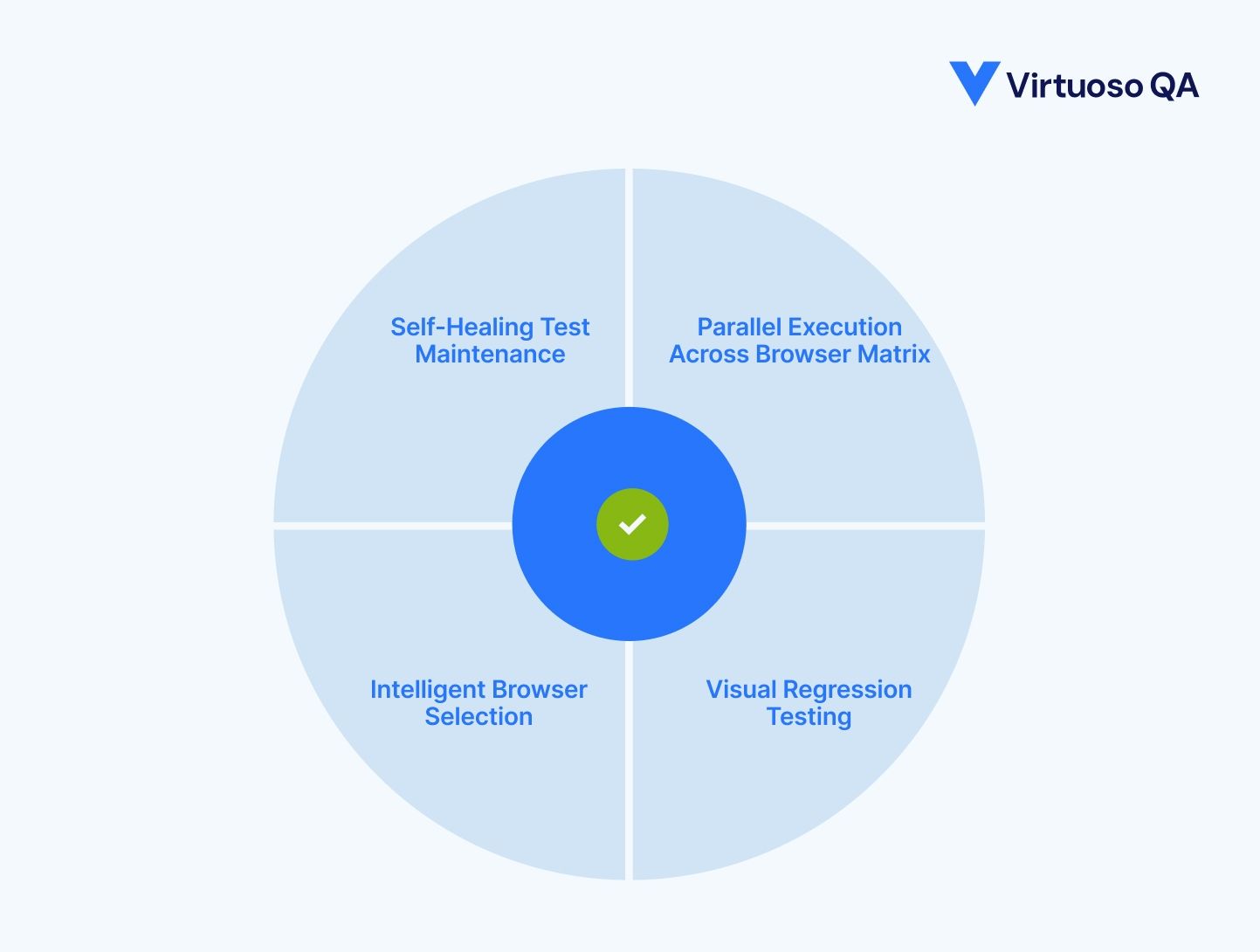
AI-native platforms detect when browser updates change element identification, automatically adapt test scripts, and continue execution without manual intervention. Self-healing works identically whether Chrome, Safari, or Firefox updates, maintaining test stability across browser ecosystem evolution.
Self-healing algorithms understand browser-specific element identification approaches adapting appropriately. WebKit shadow DOM handling differs from Chromium. Self-healing respects these differences automatically.
When organizations add new browser versions to testing matrix or retire old versions, self-healing maintains test compatibility across version range without requiring version-specific test modifications.
Sequential cross-browser testing creates unacceptable execution times blocking rapid releases.
Running comprehensive test suite across 10 browser-device combinations sequentially requires 10x single-browser execution time. If single-browser regression takes 2 hours, cross-browser validation requires 20 hours, making daily execution infeasible.
Cloud-based platforms distribute tests across multiple browser-device combinations simultaneously. Same 2-hour test suite executes across 10 browsers in 2 hours through parallel execution, eliminating time multiplication.
Modern platforms scale to dozens or hundreds of parallel executors enabling comprehensive cross-browser validation completing in reasonable timeframes. One enterprise executes tests across 50 browser-device combinations in 90 minutes through massive parallelization.
Platforms optimally distribute tests across available browser instances balancing execution time, minimizing idle resources, and maximizing throughput. Longest-running tests execute first while short tests fill remaining capacity.
Parallel execution reduces overall testing cost despite using more simultaneous resources by compressing total execution time. Faster testing cycles enable more frequent validation improving quality while reducing delayed defect costs.
Parallel execution transforms cross-browser testing from impossible comprehensive coverage to feasible continuous validation practice.
Functional tests validate behavior but miss visual rendering differences across browsers requiring visual testing approaches.
Capture screenshots across browser-device combinations, compare against baseline images, and automatically identify visual differences. Algorithms detect layout shifts, rendering variations, font differences, and styling inconsistencies humans might miss during manual review.
Machine learning distinguishes meaningful visual regressions from acceptable differences. Different font rendering between macOS and Windows shouldn't flag as defects while broken layouts should. AI learns appropriate tolerance levels reducing false positives.
Visual testing across screen sizes validates responsive breakpoints function correctly. Layouts should adapt appropriately at mobile, tablet, and desktop sizes. Visual testing catches broken responsive designs automated functional tests miss.
Compare visual rendering across browsers identifying browser-specific layout issues. Lightning components might render differently between Chrome and Safari. Visual testing catches these discrepancies.
Establish visual baselines for each browser-device combination. Updates to baselines occur intentionally after design changes, not accidentally through browser rendering variations.
Rather than testing all scenarios across all browsers, intelligent platforms optimize browser coverage based on risk.
Not every test requires execution across every browser. Login workflows might need comprehensive cross-browser validation while administrative functions warrant limited browser coverage. AI analyzes test characteristics, historical defect patterns, and browser-specific risk recommending optimal browser coverage per test.
When code changes affect specific application areas, intelligent testing focuses cross-browser validation on impacted features. Unchanged features execute smoke testing across browsers while modified features receive comprehensive validation.
Machine learning analyzes which browser-feature combinations historically produce defects, prioritizing testing accordingly. If Safari consistently exhibits CSS rendering issues, Safari testing receives enhanced attention particularly for layout-heavy features.
Balance comprehensive coverage against time constraints through risk-based browser selection. When time-limited, execute highest-risk browser-feature combinations providing maximum defect detection per minute invested.
This intelligence reduces cross-browser testing overhead while maintaining quality through strategic coverage focus.
Attempting comprehensive cross-browser testing across all possible combinations overwhelms organizations. Strategic starting points build capability progressively.
Use analytics determining which browser-device combinations represent majority user base. Typically Chrome on Windows, Safari on macOS, Safari on iOS, Chrome on Android, and Edge on Windows cover 80-90% of enterprise users.
Support current browser version plus one previous version as starting point. Expand version coverage based on user analytics and enterprise requirements.
Initially validate revenue-generating workflows, authentication processes, and frequently-used features across core browser set. Expand coverage to additional features progressively.
Achieve consistent quality across core browser set before expanding coverage. Building comprehensive cross-browser testing on unstable foundation multiplies maintenance burden.
Explicit documentation defining which browser-device combinations receive which testing depth prevents gaps and duplicated effort. Clear strategy enables systematic expansion.
Starting focused then expanding coverage systematically enables sustainable cross-browser testing programs rather than overwhelming attempts at immediate comprehensive coverage.
Cross-browser testing provides maximum value when integrated continuously throughout development rather than performed sporadically.
Execute lightweight smoke tests across core browser set on every code commit providing immediate feedback about critical cross-browser functionality.
Run focused cross-browser tests on pull requests before merging validating that proposed changes don't introduce browser-specific regressions.
Execute full cross-browser test suite across complete browser matrix before production deployment ensuring thorough validation without blocking rapid iteration.
Configure CI/CD systems automatically triggering appropriate cross-browser testing depth based on change characteristics, branch, and deployment stage eliminating manual test execution coordination.
Cross-browser test results flow into development dashboards, Jira tickets, and team notifications. Failures include browser-specific screenshots and logs accelerating remediation.
Continuous cross-browser testing embedded in CI/CD pipelines catches browser-specific defects immediately rather than discovering issues weeks after code commits when remediation costs multiply.
Understanding browser internals improves cross-browser testing effectiveness.
Chrome DevTools, Safari Web Inspector, and Firefox Developer Tools provide capabilities for debugging browser-specific issues. Network panels, console logs, element inspection, and performance profiling help diagnose cross-browser problems.
W3C specifications, MDN Web Docs, and Can I Use database provide authoritative information about browser feature support. Understanding which features work universally versus requiring fallbacks informs testing priorities.
Each browser vendor publishes documentation about their implementation specifics, known issues, and workarounds. Safari webkit.org documentation, Chrome developer blog, and Firefox release notes provide valuable context.
Can I Use and MDN compatibility tables show exact browser version support for CSS properties, JavaScript features, and HTML elements. Reference these during development preventing cross-browser issues rather than discovering them during testing.
Proactive use of browser tools and documentation prevents many cross-browser issues through informed development practices reducing testing burden.
Emulators and simulators provide convenience but miss real device characteristics.
Physical devices exhibit behaviors emulators don't replicate including touch interaction precision, performance characteristics, battery impact, and hardware-specific quirks. Include real device testing particularly for mobile browsers.
Test across various network speeds and latency including 3G, 4G, 5G, and WiFi. Applications performing adequately on high-speed connections may exhibit unusable performance on slower networks common for mobile users.
Browsers rendering and performance varies by geographic region due to CDN behavior, network infrastructure, and regional service availability. Testing from multiple geographic locations provides realistic validation.
Test across different screen resolutions, pixel densities, and aspect ratios. Retina displays, 4K monitors, and various mobile screen densities affect rendering requiring explicit validation.
Browser behavior depends on underlying operating system. Test across OS versions relevant to user base particularly iOS and Android version ranges.
One SaaS company discovered their application worked perfectly on emulated iOS but exhibited critical defects on physical devices. Real device testing revealed touch interaction issues and performance problems emulators masked.
Defining acceptable cross-browser visual differences prevents endless refinement pursuing pixel-perfect consistency impossible to achieve.
Establish explicit standards defining acceptable visual differences. Font rendering variations between operating systems, minor spacing differences, and slight color variations may be acceptable while layout shifts and broken alignments are not.
Applications should respect platform conventions. iOS native controls look different than Android controls. Forcing identical appearance across platforms creates poor user experiences. Standards should accommodate appropriate platform differences.
Document which features degrade gracefully in older browsers and what constitutes acceptable degraded experience. Animation fallbacks, reduced visual effects, and simplified layouts may be acceptable degradation paths.
Visual standards ensure critical brand elements like logos, colors, and key layouts remain consistent across browsers while permitting minor variations in secondary elements.
Clear standards prevent wasteful effort achieving unnecessary pixel-perfect consistency while ensuring user-facing quality meets business requirements

Quantitative metrics demonstrate cross-browser testing value and identify improvement opportunities.
Track what percentage of user browser-device combinations receive automated testing. Target 90%+ coverage of actual user configurations weighted by usage frequency.
Measure defects found in cross-browser testing versus escaping to production. Calculate detection rate per browser identifying which browsers warrant enhanced testing focus.
Monitor how often cross-browser tests execute. Daily execution provides continuous quality visibility. Infrequent execution delays defect detection increasing remediation costs.
Track defects causing browser-specific behavior differences. Declining density indicates improving cross-browser quality. Increasing density signals problems requiring attention.
Monitor support tickets and user complaints about browser-specific problems. Declining user reports demonstrate effective cross-browser testing preventing production issues.
Calculate time spent maintaining cross-browser tests across browser updates. Self-healing automation should reduce maintenance to near-zero while manual approaches consume significant capacity.
Cross-browser testing automation requires investment in platforms, infrastructure, and implementation demonstrating ROI justifies expenditure.
Browser-specific production defects create support costs, user productivity losses, and potential revenue impact. Calculate prevented incident costs through historical defect analysis. One e-commerce company avoided $2M annual revenue loss through comprehensive cross-browser checkout testing.
Automated cross-browser testing reduces manual testing effort. If automation eliminates 1,000 annual person-hours at $150/hour, savings reach $150K annually.
Faster cross-browser validation enables more frequent releases. Parallel execution compressing validation from days to hours accelerates time-to-market. Calculate business value of release acceleration.
Compare cloud-based browser testing costs against maintaining local testing infrastructure. Many organizations reduce costs 50-70% through cloud platforms while expanding browser coverage.
Consistent cross-browser user experiences improve satisfaction, reduce support burden, and enhance brand reputation. While harder to quantify, this represents significant business value.
Comprehensive ROI analysis typically demonstrates 8-15x return on cross-browser testing automation investment within 18-24 months.
Cross-browser testing requires ongoing refinement as browser ecosystem and application evolve.
Quarterly analysis of user browser distributions identifies shifting patterns. Browser preference changes, new version adoption, and device category growth require coverage adjustments.
When browser-specific defects escape to production, investigate why testing missed them. Enhance coverage, improve test scenarios, or adjust browser matrix addressing gaps.
Establish clear criteria for dropping browser version support. When browser versions fall below usage thresholds or vendors discontinue support, retire from testing matrix focusing resources on relevant browsers.
Track adoption of new browsers, alternative engines, and niche platforms. When usage exceeds thresholds, incorporate into testing matrix.
Continuously expand cross-browser test coverage to additional features, workflows, and edge cases. Progressive coverage expansion maintains comprehensive quality assurance.
Organizations implementing continuous improvement maintain cross-browser testing relevance and effectiveness as technology landscape evolves.
Cross-browser testing validates that web applications provide consistent experiences across diverse browser ecosystems ensuring business continuity, user satisfaction, and revenue protection. Browser rendering differences, JavaScript engine variations, and standards compliance evolution create behavior inconsistencies without explicit validation. Traditional manual cross-browser testing cannot scale to comprehensive coverage across exponential browser-device combinations within compressed timelines and limited resources.
Virtuoso QA takes all of the testing pains away! You can author your tests in plain English, which cuts down test authoring time drastically. Then, using the execution planner, you can schedule your tests to run as often as you want and save time by having the tests run in parallel. Even better, Virtuoso QA is cloud-based, so there's no setup or installation required, and you can run tests across as many browser versions, operating systems, and real devices as you want. Plus, you can get reports on the different browsers all throughout the testing process.

Try Virtuoso QA in Action
See how Virtuoso QA transforms plain English into fully executable tests within seconds.