Blog
What is UI and UX Testing? Guide to User Interface and User Experience Validation

Adwitiya Pandey
Published on

Table of contents
Lorem ipsum
Lorem ipsum
Lorem ipsum
Lorem ipsum
Lorem ipsum
Your application works perfectly. Every API returns correct data. Business logic executes flawlessly. Database queries perform efficiently. Backend systems hum along without errors.
Then you watch a real user try to complete a simple task.
They can't find the search button. The form labels confuse them. The checkout process requires too many clicks. The mobile layout cuts off critical information. They abandon the application frustrated, never to return.
Your backend was perfect. Your user experience was broken.
This is why UI and UX testing exist. Users don't interact with your architecture, your database, or your business logic. They interact with interfaces. If the interface is confusing, slow, or broken, your perfect backend is invisible and irrelevant.
The numbers prove the stakes:
88% of users don't return after bad experience
1-second delay reduces conversions by 7%
70% of online shoppers abandon carts due to poor UX
Companies focusing on UX see 400% ROI on experience improvements
Yet most organizations spend 80% of testing effort on backend functionality and 20% on what users actually see and experience. This inverted priority explains why technically sound applications fail in market while competitors with inferior technology but superior experiences win customers.
This guide explains what UI and UX testing actually are, why they matter more than ever, how they differ from other testing types, and how modern AI-native approaches transform manual testing into continuous automated validation at scale.
What is UI Testing?
UI (User Interface) testing validates that visual elements and interactive components function correctly. It verifies buttons click, forms submit, navigation works, data displays accurately, and all interface elements behave as designed across browsers and devices.
The Scope of UI Testing
Functional validation: Does every button, link, input field, dropdown, checkbox, and interactive element work correctly? Can users perform intended actions? Do errors display appropriately? Does form validation catch incorrect inputs?
Visual validation: Do elements appear in correct positions? Are colors, fonts, and styling consistent with design specifications? Do images load properly? Is text readable and appropriately sized? Are icons and graphics displaying correctly?
Responsive behavior: Does the interface adapt correctly to different screen sizes? Do layouts reflow appropriately on mobile devices? Are touch targets appropriately sized for mobile interaction? Does horizontal scrolling get eliminated on small screens?
Cross-browser compatibility: Does the interface work identically across Chrome, Firefox, Safari, and Edge? Do modern JavaScript features function in older browser versions? Are CSS properties supported universally or do fallbacks work correctly?
Accessibility compliance: Can keyboard users navigate without a mouse? Do screen readers interpret content correctly? Is color contrast sufficient for visually impaired users? Are ARIA labels present and accurate?
Example UI test scenarios:
Login functionality:
Username and password fields accept input correctly
Submit button triggers authentication process
Invalid credentials display appropriate error message
Successful login redirects to dashboard
Remember me checkbox persists login state
Forgot password link navigates to reset workflow
Shopping cart:
Add to cart button adds items successfully
Quantity adjustments recalculate totals accurately
Remove item function deletes from cart
Cart icon updates item count correctly
Cart persists across page navigation
Empty cart displays appropriate message
Form validation:
Required fields prevent submission when empty
Email fields validate format correctly
Phone number fields accept proper formatting
Date pickers allow only valid date selection
Error messages display helpfully
Successful submission shows confirmation
What is UX Testing?
UX (User Experience) testing validates that applications are intuitive, efficient, pleasant, and accomplish user goals effectively. While UI testing asks "does it work?", UX testing asks "is it usable?" and "does it delight?"
The Dimensions of User Experience
Usability: How easily can users accomplish tasks? Is navigation intuitive? Are workflows logical? Do users understand interface elements without instruction? How many clicks required to complete actions?
Efficiency: How quickly can users perform tasks? Are frequent actions easily accessible? Do keyboard shortcuts exist for power users? Does the interface minimize unnecessary steps? Are loading times acceptable?
Learnability: Can new users figure out the interface without training? Are conventions followed? Do affordances signal possible interactions? Is help available when needed? Do error messages guide users toward solutions?
Memorability: Can returning users remember how to use the interface? Are workflows consistent throughout the application? Do similar actions behave similarly across different sections? Is terminology consistent?
Satisfaction: Do users enjoy using the application? Is the aesthetic pleasing? Are interactions smooth and responsive? Does feedback reassure users? Are error messages friendly rather than technical? Does the experience feel polished?
Error prevention and recovery: Does the interface prevent mistakes before they happen? Are destructive actions protected with confirmation dialogs? Can users undo actions? Do validation messages appear before submission rather than after? Are error recovery paths clear?
UX Testing Methodologies
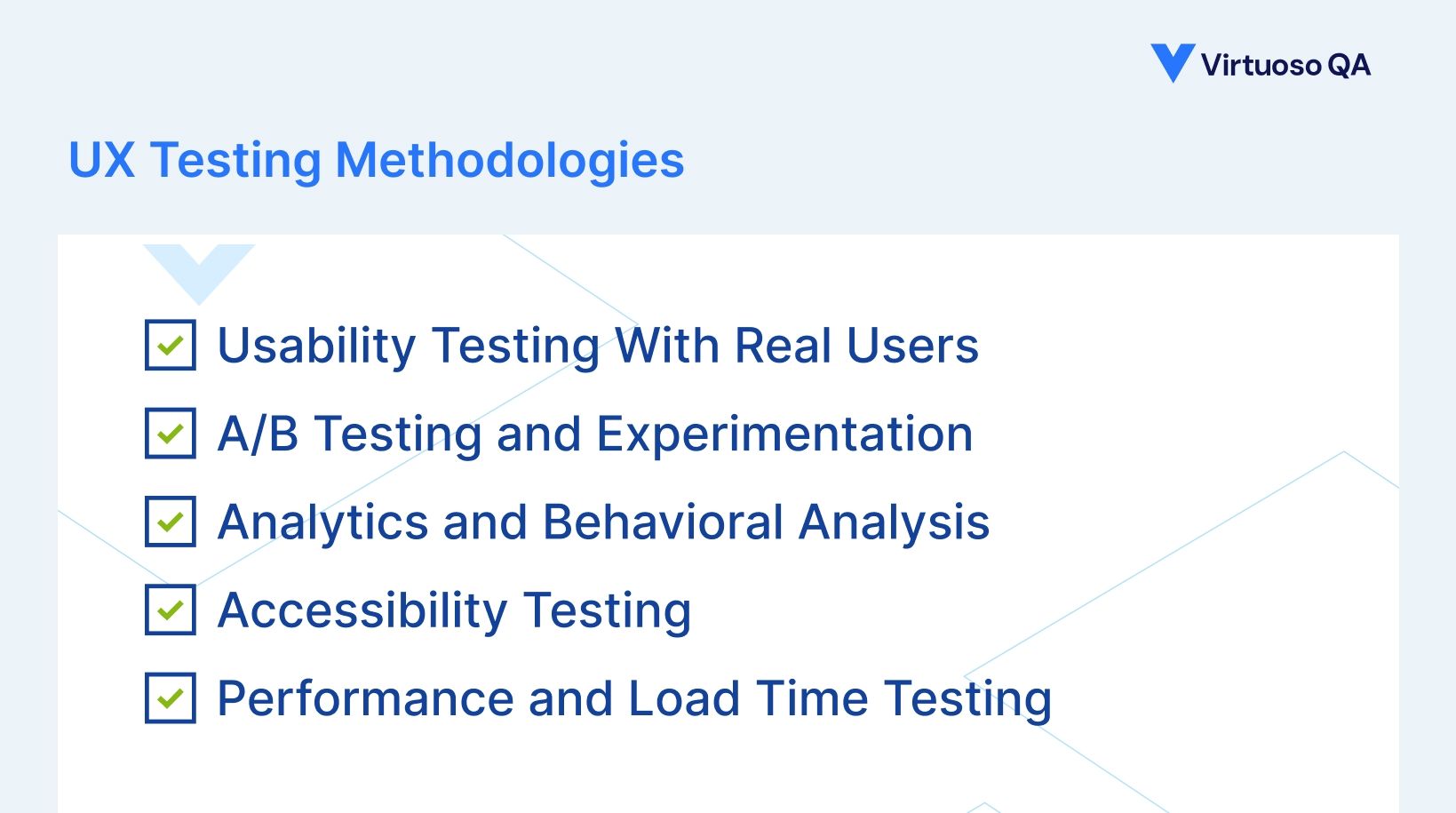
Usability Testing With Real Users
Observe representative users attempting realistic tasks. Identify where users struggle, get confused, or abandon goals. Measure task completion rates, time on task, and user satisfaction scores. Gather qualitative feedback on experience pain points.
Example: E-commerce company watches 20 users attempt to find and purchase specific products. Discovers 60% can't locate search filtering. Redesigns filter UI. Retest shows 95% success rate. Conversion rate increases 15%.
A/B Testing and Experimentation
Create variations of interface elements or workflows. Split traffic between versions randomly. Measure performance metrics (conversion rate, task completion, time spent). Identify which version performs better statistically.
Example: Test two checkout flows. Version A: single-page checkout. Version B: multi-step wizard. Metrics show Version A completes 12% faster but Version B has 18% fewer abandonments. Deploy Version B based on revenue impact.
Analytics and Behavioral Analysis
Track actual user behavior through analytics tools. Identify where users spend time, where they abandon, which paths they take. Analyze heatmaps showing click patterns and scroll depth. Study session recordings for unexpected behaviors.
Example: Analytics reveals 40% of mobile users abandon at shipping address entry. Session recordings show mobile keyboard covering form fields causing frustration. Redesign eliminates issue. Mobile conversion improves 25%.
Accessibility Testing
Validate compliance with WCAG (Web Content Accessibility Guidelines) standards. Test with screen readers ensuring content is interpretable. Verify keyboard navigation works throughout. Check color contrast ratios meet minimum requirements.
Example: Healthcare portal tested with screen reader users. Discover form labels not properly associated with inputs. Screen readers can't interpret forms. Fix improves accessibility compliance and enables visually impaired users to complete critical health management tasks.
Performance and Load Time Testing
Measure perceived performance from user perspective. Test on various network conditions (3G, 4G, WiFi). Analyze time to interactive and first contentful paint. Validate lazy loading and progressive enhancement work correctly.
Example: Retail site tests loading performance on mobile 3G connections. Page load exceeds 5 seconds causing 50% abandonment. Optimizations reduce to 2.5 seconds. Mobile conversion improves 35%.
UI Testing vs UX Testing: Key Differences
1. Objective and Scope
UI Testing:
Objective: Validate interface functions correctly
Scope: Individual components and their behavior
Question: Does this button work?
UX Testing:
Objective: Validate experience meets user needs
Scope: Complete user journeys and goals
Question: Should this button exist here, and will users understand it?
2. Methodology
UI Testing:
Automated test scripts executing repeatedly
Validates against technical specifications
Measurable pass/fail criteria
Can run continuously in CI/CD
UX Testing:
Observation of real users completing tasks
Evaluates against user expectations and mental models
Qualitative feedback and behavioral metrics
Periodic research studies and experiments
3. Example: Checkout Flow
UI Testing validates:
Payment form fields accept input correctly
Credit card validation logic works accurately
Submit button triggers purchase processing
Confirmation page displays after successful order
Order number generates and displays correctly
Confirmation email sends to user
UX Testing evaluates:
Do users understand checkout process intuitively?
Is the flow too long causing abandonment?
Are error messages helpful guiding users to corrections?
Do users feel confident about security during payment?
Is the confirmation reassuring enough?
Do users know what happens next?
4. Both are Essential
UI testing without UX testing: Ensures technically functional but potentially unusable interface. Everything works perfectly, but users can't figure out how to use it effectively.
UX testing without UI testing: Identifies usability issues but can't validate technical correctness at scale. Users love the experience when it works, but bugs break functionality randomly.
Comprehensive quality requires both: UI testing validates technical correctness continuously. UX testing validates experiential quality periodically. Together they ensure applications that work correctly AND delight users.
How AI Transforms UI and UX Testing
Automated UI Testing with Intelligence
Traditional automated UI testing
Code-based scripts with brittle locators breaking constantly. Requires specialized engineers. Maintenance consumes 60-80% of effort. Can't adapt to UI changes automatically.
AI-native automated UI testing
Natural Language test creation enabling anyone to build UI tests describing scenarios in plain English without coding expertise. Self-healing with 95% accuracy adapting tests automatically when interfaces change, eliminating maintenance overhead. Autonomous generation creating comprehensive UI test coverage by analyzing applications and understanding workflows. Cross-browser validation executing tests across 2,000+ configurations automatically.
Real impact
Organizations achieve 85% faster UI test creation, 83% maintenance reduction, and 10x productivity improvements moving from traditional to AI-native approaches.
AI-Powered UX Insights
1. Behavioral pattern analysis
AI analyzes user interaction data identifying usability issues at scale. Detects rage clicks indicating frustration with unresponsive elements. Identifies navigation confusion patterns showing unclear information architecture. Recognizes abandonment triggers highlighting UX friction points. Predicts which users likely to abandon based on behavior patterns.
2. Automated accessibility testing
AI validates WCAG compliance comprehensively across applications. Checks color contrast ratios automatically. Verifies semantic HTML structure and ARIA labels. Tests keyboard navigation completeness. Generates accessibility reports prioritizing high-impact issues.
3. Performance monitoring from user perspective
AI tracks real user performance metrics across devices and networks. Measures time to interactive from actual user sessions. Identifies slow-loading components affecting experience. Correlates performance metrics with conversion rates. Recommends optimization priorities based on business impact.
4. Predictive UX optimization
Machine learning models predict which design variations will perform best based on historical data. Analyzes A/B test results identifying statistically significant winners faster. Recommends optimal experiences for different user segments. Suggests personalization strategies improving conversion.
5. Visual regression for UX consistency
AI-powered visual testing detects unintended design changes affecting brand consistency. Captures screenshots across browsers comparing with approved baselines. Highlights layout shifts, color variations, font rendering differences. Ensures visual experience remains consistent as applications evolve.
Continuous UX Validation
Traditional UX testing
Periodic usability studies with small samples. Weeks or months between insights. Expensive requiring specialized UX researchers. Limited to specific scenarios tested during studies.
AI-enabled continuous UX validation:
Behavioral analytics monitoring all users continuously. Real-time alerts when conversion rates drop or abandonment increases. Automated suggestions based on pattern recognition across millions of sessions. Instant feedback on experience changes rather than delayed research insights.
Organizations using AI for UX validation achieve:
10x more user insights from continuous monitoring vs periodic studies
75% faster identification of usability issues through automated detection
40-60% conversion rate improvements from data-driven optimization
Proactive issue detection before significant user impact
Implementing Comprehensive UI and UX Testing
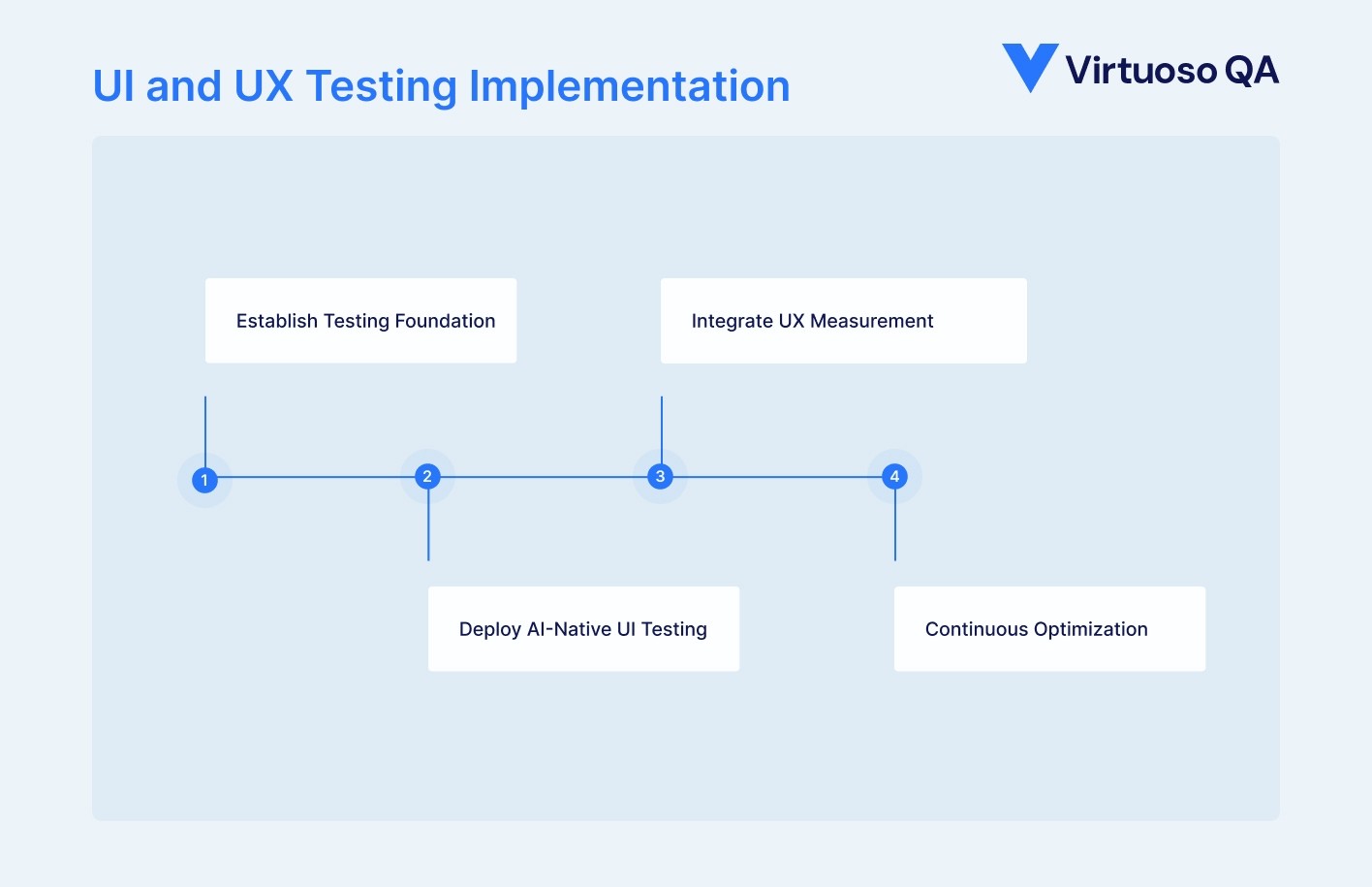
Phase 1: Establish Testing Foundation
Define critical user journeys
Identify top 5-10 user workflows driving business value. For e-commerce: product search, add to cart, checkout, account management. For SaaS: signup, core feature usage, collaboration, settings. For banking: login, transfers, bill pay, account overview.
Establish baseline metrics
Current UI test coverage of critical journeys. Time spent on manual UI testing before releases. Conversion rates for key workflows. User satisfaction scores if available. Known usability issues from support tickets or feedback.
Set measurable goals
80%+ automated UI test coverage of critical paths. Sub-5-minute feedback for UI changes in CI/CD. 95%+ UI test pass rate without false positives. 15-30% conversion rate improvement from UX optimization. Reduced support tickets related to usability issues.
Phase 2: Deploy AI-Native UI Testing
Rapid test creation
Use Natural Language Programming building 100-200 UI tests covering critical workflows in weeks, not months. Enable entire QA team participating in test creation, not just automation engineers. Establish composable patterns for common UI interactions. Integrate with CI/CD pipelines for continuous validation.
Comprehensive browser coverage
Execute tests across major browser and device combinations automatically. Validate responsive design behaviors across screen sizes. Detect cross-browser compatibility issues before user impact. Use visual regression catching unintended design changes.
Self-healing activation
Enable 95% accurate self-healing eliminating maintenance overhead. Monitor adaptation success rates validating AI decisions. Review flagged tests requiring human judgment. Measure maintenance reduction comparing to baseline.
Phase 3: Integrate UX Measurement
Implement behavioral analytics
Deploy analytics tracking user interactions comprehensively. Configure conversion funnels for critical workflows. Set up heatmaps and session recording for key pages. Establish baseline metrics before optimization efforts.
Enable A/B testing infrastructure
Build capability to test design variations systematically. Start with high-impact elements (CTAs, forms, navigation). Measure statistically significant results before deploying winners. Document learnings building organizational UX knowledge.
Conduct usability research
Schedule quarterly usability studies with representative users. Test new features before wide release. Validate redesigns with target audience. Gather qualitative feedback supplementing quantitative data.
Phase 4: Continuous Optimization
Regular UX review cycles
Monthly analysis of behavioral data identifying issues. Prioritize improvements based on business impact. Implement changes with A/B validation. Measure results and iterate continuously.
Automated UI regression
Daily execution of comprehensive UI test suite. Immediate alerts on critical path failures. Root cause analysis diagnosing issues automatically. Rapid validation of fixes before redeployment.
Cross-functional collaboration
Developers receiving UI test feedback on every commit. Designers reviewing behavioral data informing iterations. Product managers using UX insights for prioritization. Executive dashboards showing experience metrics alongside business KPIs.
Common UI and UX Testing Challenges
Challenge: Manual Testing Can't Scale
The problem: Manual UI testing is slow, expensive, error-prone, and can't keep pace with modern development velocity. UX research studies provide limited insights from small samples.
The solution: Automated UI testing scales validation to thousands of tests executing continuously. Behavioral analytics provides UX insights from entire user populations, not samples. AI generates comprehensive coverage faster than manual test creation.
Challenge: False Positives Destroying Trust
The problem: Flaky UI tests failing intermittently cause developers to ignore all failures. Real bugs get dismissed as "probably another false positive."
The solution: AI-powered self-healing and intelligent waiting reduce false positives from 30-40% to under 5%. Root cause analysis distinguishes genuine bugs from environmental issues. Trust rebuilds when tests reliably indicate real problems.
Challenge: UX Insights Don't Drive Action
The problem: UX research produces interesting insights that never translate into prioritized improvements. Findings get documented but not implemented.
The solution: Quantify UX issues in business terms (conversion impact, revenue loss, support cost). Tie UX metrics directly to OKRs and success metrics. Make UX data visible in executive dashboards alongside traditional metrics. Celebrate UX wins publicly building organizational culture valuing experience.
Challenge: UI Tests Break Constantly
The problem: UI changes break automated tests continuously. Teams spend more time maintaining tests than creating new coverage. At scale, maintenance becomes unsustainable.
The solution: 95% accurate self-healing means tests adapt automatically to UI changes. Natural Language Programming makes necessary updates faster. Organizations achieve 81-83% maintenance reduction sustainably at scale.
Take Action: Build Quality User Experiences
Users don't care about your architecture. They experience your interface. Brilliant backend engineering is invisible if interfaces confuse, frustrate, or break. Comprehensive UI and UX testing transforms applications from technically correct to genuinely delightful. Organizations delivering superior user experiences choose AI-native platforms unifying automated UI testing with continuous UX measurement.
Virtuoso QA delivers proven AI-powered testing transforming interface validation:
Natural Language UI testing accessible to entire teams
95% self-healing adapting to interface changes automatically
Visual regression protecting brand consistency
Cross-browser validation across 2,000+ configurations
Integration with analytics connecting testing to experience data
Continuous validation in CI/CD preventing interface bugs
Frequently Asked Questions
What does UX testing involve?
Why do technically correct applications still fail with users?
How does automated UI testing work?
How do you test UX on mobile devices?
How often should UI tests run?
Can non-technical team members write UI tests?




