Guide
Usability Testing Explained: Types, Process, and Best Practices

Rishabh Kumar
Published on

See Virtuoso in action
Book a walkthrough on your applications and your workflows. Bring a requirement, a user journey, or a brittle Selenium script, and watch the loop run on something you recognise.

Usability testing is a user-centered evaluation method that assesses how easily real users can navigate and interact with software applications to accomplish their goals. By observing actual users attempting specific tasks, organizations identify usability issues, measure interface effectiveness, and gather actionable insights to improve user experience. Research shows 88% of users abandon applications with poor usability, while businesses lose significant revenue to confusing interfaces and inefficient workflows. Traditional usability testing involves recruiting participants, conducting moderated sessions, and manually analyzing results which is a time-consuming process that struggles to keep pace with modern development velocities. Contemporary approaches combine classic user testing with automated UI validation, enabling teams to validate usability principles continuously through automated accessibility checks, visual consistency validation, and interface behavior verification. Organizations adopting this hybrid approach catch usability issues earlier, test more frequently, and ensure every release meets established usability standards without sacrificing development speed.
What is Usability Testing?
Usability testing is a qualitative research methodology that evaluates how easily users can interact with a product, website, or application by observing real people attempting to complete specific tasks. Unlike functional testing which validates whether features work correctly, usability testing assesses whether users can actually use those features effectively, efficiently, and satisfactorily.
The fundamental question usability testing answers is: "Can users accomplish their goals with this product?" This seemingly simple question reveals critical insights about interface design, navigation patterns, information architecture, content clarity, and workflow efficiency that profoundly impact user satisfaction and business outcomes.
The Core Elements of Usability Testing
Every usability test includes three essential components:
Participants: Real users from the target audience who represent actual customers or end-users. These participants should have no prior exposure to the product being tested to provide authentic first-use experiences.
Tasks: Realistic scenarios that participants attempt to complete using the product. Tasks should reflect actual use cases and goals users would have in real-world situations.
Observation: Researchers observe participants as they attempt tasks, noting behaviors, listening to feedback, measuring success rates, and identifying points of confusion or frustration.
The key principle: Usability testing involves watching people use the product, not asking their opinions about it. Actual behavior reveals far more than hypothetical preferences.
Why Usability Testing Matters
In today's competitive digital landscape, usability directly impacts business success. Consider the measurable consequences of poor usability:
User abandonment: 88% of users abandon applications that don't perform well or are difficult to use. A confusing checkout process means lost sales. Unclear navigation drives users to competitors.
Customer support costs: Every usability issue generates support tickets. If 10,000 users struggle with the same confusing feature, that's thousands of support interactions costing $15-$50 each to resolve.
Development waste: Building features users can't find or don't understand wastes development resources. Usability testing prevents investing in the wrong solutions.
Competitive disadvantage: Users increasingly choose products based on experience rather than features. Superior usability becomes a primary differentiator.
Brand reputation: Poor usability generates negative reviews, social media complaints, and word-of-mouth damage that persist long after fixes are deployed.
Usability vs User Experience (UX)
While often used interchangeably, usability and user experience have distinct meanings. Usability focuses specifically on how easy and efficient it is to use an interface. User experience encompasses the entire interaction including emotional responses, brand perception, and overall satisfaction.
Usability is a component of user experience. An application can be usable (easy to navigate and use) but still provide poor user experience (ugly, anxiety-inducing, unpleasant). Conversely, a visually beautiful application with poor usability frustrates users despite attractive design.
The Five Quality Components of Usability
The International Organization for Standardization (ISO 9241) defines usability through five key attributes that effective usability testing measures:

1. Learnability
How easily can users accomplish basic tasks the first time they encounter the interface? Good learnability means new users quickly understand how to navigate and use core functionality without extensive training or documentation.
Test approach: Give first-time users specific tasks and measure how long it takes them to figure out how to complete them without help.
2. Efficiency
Once users learn the interface, how quickly can they perform tasks? Efficient interfaces enable experienced users to accomplish goals rapidly without unnecessary steps or cognitive overhead.
Test approach: Time experienced users completing common tasks and identify workflow bottlenecks or unnecessary complexity.
3. Memorability
When users return after a period of not using the system, how easily can they reestablish proficiency? Good memorability means users don't need to relearn the interface after gaps in usage.
Test approach: Have users complete tasks, wait several days or weeks, then have them repeat the same tasks without refresher training.
4. Errors
How many errors do users make, how severe are those errors, and how easily can users recover? Usable systems minimize error opportunities and provide clear recovery paths when mistakes occur.
Test approach: Track error frequency, classify severity, and observe whether users can recover independently or become stuck.
5. Satisfaction
How pleasant is the interface to use? Satisfaction encompasses subjective user feelings about their interaction including confidence, frustration, enjoyment, and perceived value.
Test approach: Administer post-task satisfaction surveys using standardized scales like System Usability Scale (SUS) or custom questionnaires.
Types of Usability Testing
Usability testing encompasses multiple methodologies, each suited for different research goals, development stages, and resource constraints.
1. Moderated vs Unmoderated Testing
Moderated usability testing involves a facilitator who guides participants through tasks, asks follow-up questions, and probes for deeper insights. The facilitator observes in real-time, adapting questions based on participant behaviors and comments.
Benefits: Deep qualitative insights, ability to explore unexpected findings, real-time clarification of confusing behaviors.
Limitations: Time-intensive, requires skilled facilitators, limited to small participant samples, scheduling complexity.
Unmoderated usability testing provides participants with tasks and instructions, then allows them to complete testing independently without facilitator presence. Participants record their screens and provide feedback through surveys.
Benefits: Faster, cheaper, scalable to large participant pools, participants test in natural environments and times.
Limitations: Shallow insights, no opportunity to probe interesting behaviors, higher participant dropout rates.
2. Remote vs In-Person Testing
Remote usability testing enables participants and researchers to be in different physical locations, using video conferencing, screen sharing, and specialized remote testing platforms.
Benefits: Access geographically diverse participants, lower costs (no lab space required), participants in natural environments, faster scheduling.
Limitations: Technology issues can disrupt sessions, harder to read body language and non-verbal cues, limited ability to test physical products.
In-person usability testing brings participants to a physical location (usability lab or conference room) where researchers observe directly.
Benefits: Rich observational data including body language, easier control of testing environment, better for products requiring physical interaction.
Limitations: Geographic constraints, higher costs, participant scheduling challenges, artificial lab environment may not reflect real usage.
3. Qualitative vs Quantitative Testing
Qualitative usability testing focuses on collecting insights, observations, and anecdotes about how users interact with products. The goal is discovering problems and understanding user mental models.
Typical methods: Think-aloud protocol, observation notes, video analysis, participant interviews.
Sample size: 5-8 participants typically sufficient to uncover majority of usability issues.
Quantitative usability testing measures usability through numerical metrics like task success rates, completion times, error counts, and satisfaction scores.
Typical metrics: Task success rate, time on task, error rate, satisfaction scores, clicks to completion.
Sample size: 20+ participants needed for statistical significance.
Hybrid approach: Most effective usability programs combine both, using qualitative methods to discover issues and quantitative methods to measure severity and track improvements.
4. Exploratory, Assessment, and Comparative Testing
Exploratory testing occurs early in design when teams need to understand user needs, expectations, and mental models before building solutions.
Assessment testing evaluates specific designs or prototypes to identify usability issues before development.
Comparative testing compares multiple designs or competitive products to determine which provides superior usability.
5. Guerrilla Usability Testing
Guerrilla testing involves approaching random people in public places (coffee shops, shopping malls) and asking them to quickly test a prototype or website for 5-10 minutes. This low-cost, fast method provides rapid feedback during early design stages.
Benefits: Extremely fast and cheap, diverse participants, forces simplicity.
Limitations: Shallow insights, artificial context, participants unfamiliar with domain may not represent real users.
The Usability Testing Process
Effective usability testing follows a structured process ensuring valid insights and actionable recommendations.
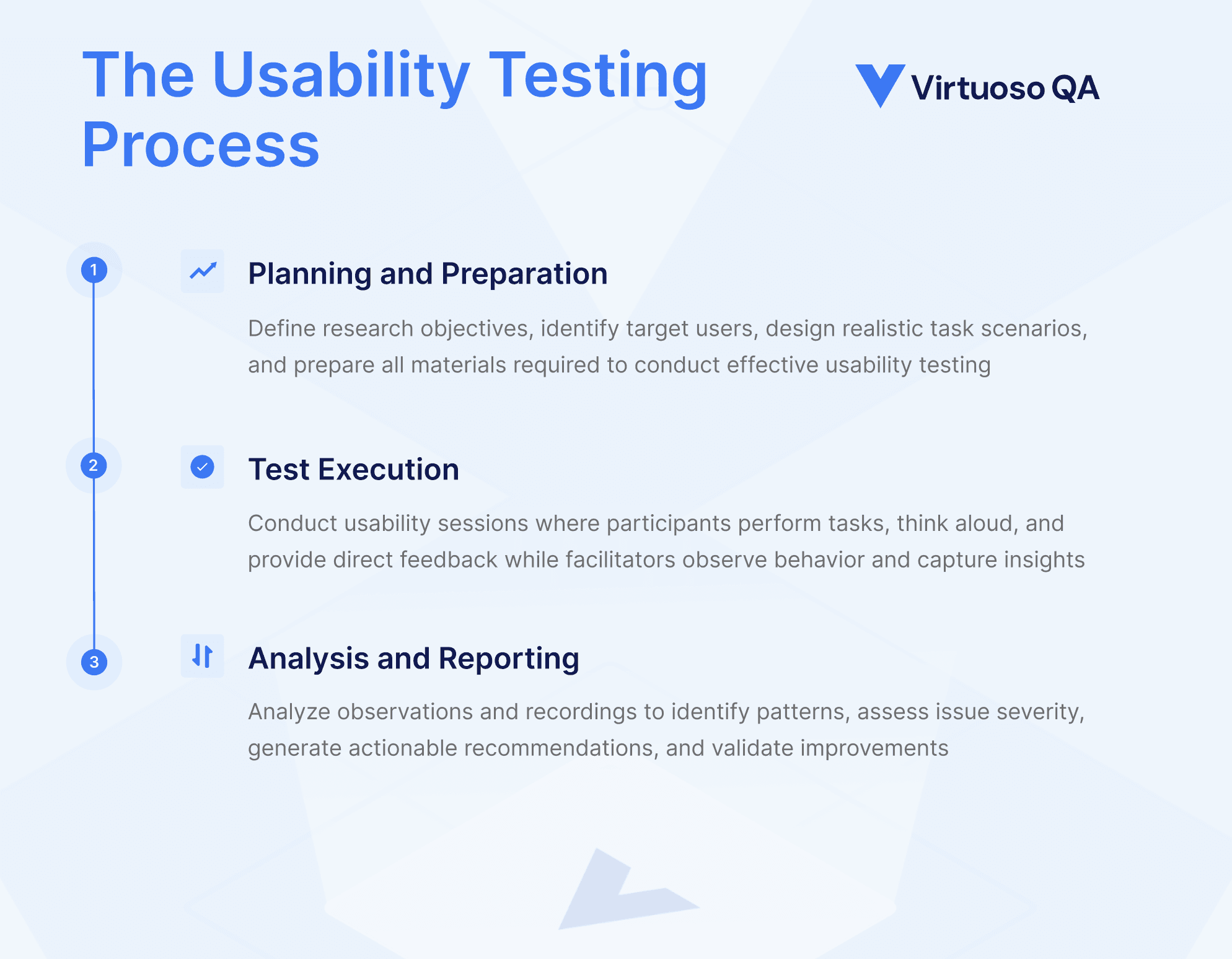
Phase 1: Planning and Preparation
Define research objectives
What specific questions need answering? Are you testing navigation, form usability, information architecture, or overall workflow efficiency?
Identify target users
Who are your actual users? Define demographics, experience levels, and usage patterns to recruit appropriate participants.
Develop task scenarios
Create realistic scenarios representing actual user goals. Tasks should be specific and measurable but not prescriptive about how to accomplish them.
Example good task: "You need to schedule a meeting with your team for next Tuesday at 2pm. Please schedule this meeting."
Example poor task: "Click the calendar button, then click 'New Meeting', then enter the date and time."
Create test materials
Prepare testing protocols, consent forms, questionnaires, note-taking templates, and any necessary prototypes or testing environments.
Recruit participants
Source participants matching target user profiles. Recruitment channels include customer lists, recruiting services, social media, or guerrilla approaches. Offer appropriate incentives for participation time.
Phase 2: Test Execution
Set up testing environment
Ensure technology works, testing materials are ready, recording equipment captures screens and audio, and the environment is comfortable for participants.
Conduct orientation
Welcome participants, explain the process, emphasize there are no wrong answers (you're testing the product, not the participant), and obtain informed consent.
Administer tasks
Present task scenarios one at a time. Encourage thinking aloud, participants should verbalize thoughts, confusions, and decision-making as they work.
Observe and take notes
Facilitators observe carefully, noting behaviors, errors, points of confusion, time to complete tasks, and participant comments. Resist the urge to help unless participants become completely stuck.
Ask follow-up questions
After each task, probe for deeper insights: "What were you expecting to happen?", "Why did you click there?", "How confident were you that worked correctly?"
Debrief
After all tasks, conduct a brief interview exploring overall impressions, satisfaction, and suggestions.
Phase 3: Analysis and Reporting
Review recordings
Watch session recordings, noting patterns across multiple participants. Look for issues that multiple users encountered.
Categorize findings
Group observations into themes (navigation issues, unclear labeling, confusing workflows, missing functionality).
Assess severity
Prioritize issues based on frequency (how many users affected), impact (how severely it blocks goals), and business criticality (does it affect revenue-generating workflows?).
Generate recommendations
For each identified issue, recommend specific improvements. Recommendations should be actionable and testable.
Create report
Summarize findings in formats appropriate for stakeholders. Executives need high-level summaries with business impact. Designers and developers need detailed observations with video clips demonstrating issues.
Validate fixes
After implementing improvements, conduct follow-up testing to verify issues are resolved and new problems weren't introduced.
Usability Testing Metrics and Measurements
While qualitative insights are valuable, quantitative metrics provide objective baselines and track improvements over time.
1. Task Success Rate
Percentage of participants who successfully complete each task. This is the most important usability metric.
Calculation: (Number of successful completions / Total attempts) × 100
Interpretation: Tasks with <70% success rates indicate serious usability problems requiring immediate attention.
2. Time on Task
How long users take to complete specific tasks. Faster completion indicates better efficiency, but only for successful completions.
Important distinction: Time on task only counts successful attempts. Including failed attempts skews data.
3. Error Rate
Frequency and severity of errors users make while attempting tasks.
Classification: Critical errors (prevent task completion), major errors (significant detours but eventually recoverable), minor errors (slight deviations quickly recovered).
4. Satisfaction Scores
Subjective ratings of user satisfaction, typically measured using standardized questionnaires.
System Usability Scale (SUS): 10-question survey yielding a 0-100 score. Scores above 68 are considered above average. SUS is the most widely used standardized usability metric.
Net Promoter Score (NPS): Single question asking likelihood to recommend on 0-10 scale. Provides comparative benchmark against competitors.
5. Clicks/Taps to Completion
How many interactions required to complete tasks. Fewer interactions generally indicate better efficiency.
Caveat: More clicks isn't always worse if each click is obvious. One confusing decision point causes more problems than three clear choices.
Automated UI Validation: Complementing Traditional Usability Testing
While traditional usability testing provides irreplaceable human insights, modern development velocities require complementary automated approaches that validate usability principles continuously.
The Testing Velocity Challenge
Traditional usability testing is thorough but slow. Recruiting participants, scheduling sessions, conducting tests, and analyzing results takes weeks. By the time findings are available, development has moved forward. Teams deploy code without usability validation because usability testing can't keep pace.
This gap creates a dilemma: sacrifice usability validation for speed, or sacrifice speed for usability validation. Neither is acceptable.
Automated UI Validation Approach
Automated UI validation doesn't replace user testing, nothing substitutes watching real users. However, automation can validate established usability principles continuously, catching obvious issues before they reach users while reserving human testing for complex judgment-requiring scenarios.
Automated validation capabilities:
Accessibility validation: Automated checks verify compliance with WCAG accessibility standards, ensuring interfaces work for users with disabilities. This includes color contrast validation, keyboard navigation testing, screen reader compatibility, and semantic HTML verification.
Visual consistency: Automated visual regression testing captures screenshots across features and detects unintended visual changes. Inconsistent styling, misaligned elements, and layout breaks indicate usability problems.
Responsive design validation: Automated tests verify interfaces adapt correctly across screen sizes, preventing usability issues on mobile devices or narrow displays.
Form usability: Automated validation checks form behaviors like error message clarity, input validation feedback, required field indicators, and submission confirmation.
Navigation validation: Automated tests verify all navigation links work, menu structures are consistent, and critical pages are accessible through logical paths.
Content readability: Automated analysis assesses reading level, sentence complexity, and content structure to ensure clarity for target audiences.
Natural Language Test Creation
Making test automation itself more usable dramatically expands who can validate interfaces. Traditional test automation requires coding expertise, limiting participation to technical specialists.
Natural Language Programming enables anyone to create automated UI validation tests by describing scenarios in plain English rather than code. This democratization means designers, product managers, and QA analysts without programming backgrounds can create validation checks.
Example natural language test:
This test validates several usability principles (clear labeling, helpful error messages, error field indication) automatically with every build.
Continuous UI Validation in CI/CD
Integrating automated UI validation into continuous integration pipelines ensures every code change receives usability checks before reaching production.
Pipeline integration pattern:
Developer commits UI changes
Automated tests execute validating accessibility, visual consistency, responsive behavior
Failures block deployment, requiring fixes before merge
Successful validation allows changes to proceed
This continuous validation creates a usability baseline ensuring releases never regress on established principles.
Usability Testing for Enterprise Applications
Enterprise applications present unique usability challenges due to complexity, diverse user populations, and business process criticality.
1. SAP and Oracle ERP Systems
Enterprise resource planning systems handle complex business processes across procurement, finance, manufacturing, and HR. Usability is critical because poor interfaces slow down business operations and increase error rates in mission-critical transactions.
Usability challenges:
Complex multi-step workflows
Extensive configuration options
Role-based interfaces serving different user types
Integration with numerous other systems
Mobile access requirements for field personnel
Testing approach: Usability testing for ERP systems must include users from each role (purchasing agents, financial analysts, warehouse managers) completing actual business scenarios. Task analysis should map real workflows to identify bottlenecks.
2. Salesforce and CRM Platforms
Customer relationship management platforms combine standard functionality with custom configurations. Usability testing must validate both out-of-box interfaces and organization-specific customizations.
Critical usability areas:
Dashboard comprehension and information scannability
Record creation and editing efficiency
Search and filtering effectiveness
Mobile CRM usability for field sales teams
Report generation and data export
3. Healthcare Systems like Epic EHR
Healthcare applications face unique usability requirements because poor usability can impact patient safety. Clinicians must access information rapidly during patient care, making interface efficiency critical.
Usability priorities:
Clinical workflow efficiency (minimal clicks to access patient data)
Alert and notification effectiveness without alarm fatigue
Error prevention in medication ordering
Information display clarity under time pressure
Mobile device usability for bedside care
Regulatory considerations: Healthcare usability testing must consider FDA guidance on human factors engineering for medical devices and software.
4. Financial Services Applications
Banking, insurance, and investment platforms must balance security with usability. Authentication requirements and fraud prevention controls can create usability friction that drives abandonment.
Balancing act:
Security necessary for protection
Usability necessary for task completion
Finding the middle ground where users can accomplish goals securely without excessive frustration
Usability Testing Best Practices
Effective usability testing requires both methodological rigor and practical wisdom gained through experience.
1. Test Early and Often
Don't wait until design is finalized. Test lo-fidelity prototypes, wireframes, even sketches. Early testing when changes are cheap prevents investing in wrong directions.
Iterative testing: Test, fix issues, test again. Each iteration uncovers new layers of usability challenges as foundational problems are resolved.
2. Test with Real Users
Friends, coworkers, and internal stakeholders are not valid participants. They lack the fresh perspective of actual users and come with biases and insider knowledge that skew results.
Recruit authentic representatives: Match demographics, experience levels, and domain knowledge to your actual user base.
3. The "Rule of 5"
Research by Jakob Nielsen demonstrates five participants uncover approximately 85% of usability issues in a single user group. Diminishing returns set in beyond five participants per user segment.
Important caveat: This applies to qualitative testing identifying issues. Quantitative testing measuring performance requires 20+ participants for statistical validity.
4. Create Realistic Task Scenarios
Tasks should represent actual goals users have, not interface tours. Don't tell users where to click, give them goals and observe how they attempt to achieve them.
Good scenario: "You want to view your transaction history for last month and export it to a spreadsheet."
Bad scenario: "Click on Reports, then click Transaction History, select date range, and click Export."
5. Let Participants Struggle
Resist the temptation to help when participants struggle. Watching someone confused is uncomfortable, but their struggle reveals critical usability problems. Only intervene if participants become completely stuck and unable to proceed.
6. Think Aloud Protocol
Encourage participants to verbalize their thoughts as they work. "I'm looking for...", "I expected this to...", "I'm confused about...". These verbalizations reveal mental models and expectations.
Challenge: Thinking aloud feels unnatural. Participants need encouragement and reminders to maintain verbal commentary.
7. Record Sessions
Video recordings capture details observers miss in real-time. They provide evidence for skeptical stakeholders and allow multiple reviewers to analyze the same sessions.
Privacy considerations: Obtain explicit consent for recording and explain how recordings will be used and stored.
8. Test Across Devices and Contexts
Test on devices users actually use. If 60% of users access your application on mobile devices, 60% of usability testing should occur on mobile.
Context matters: Test in realistic environments. A banking app tested in a quiet office reveals different issues than testing in a noisy coffee shop on cellular networks.
Common Usability Testing Challenges and Solutions
Even experienced researchers encounter challenges conducting effective usability testing.
Challenge: Recruiting Representative Participants
Problem: Finding participants who accurately represent actual users is difficult and time-consuming. Professional user recruiting services are expensive.
Solution: Leverage existing customers through email invitations. Offer appropriate incentives ($50-$100 for hour-long sessions is typical). Use social media and community forums to reach target audiences. Consider guerrilla testing for early-stage feedback.
Challenge: Participants Give Opinions Instead of Using the Product
Problem: When asked "What do you think about this?", participants provide hypothetical opinions rather than demonstrating actual behavior.
Solution: Focus on tasks and observation, not opinions. Say "Please try to [accomplish goal]" not "What do you think about this feature?" Observe behavior, then ask opinions after seeing actual usage.
Challenge: One Participant's Feedback Seems to Contradict Others
Problem: Individual participants sometimes have unique experiences or preferences. How much weight should one person's feedback carry?
Solution: Look for patterns across multiple participants. Issues encountered by 3+ participants out of 5 are likely real usability problems. Individual isolated feedback may reflect personal preference rather than systemic issues.
Challenge: Stakeholders Dismiss Findings
Problem: Designers or developers dismiss usability findings, arguing participants "just didn't understand" or "weren't real users."
Solution: Video clips of real users struggling provide compelling evidence that's harder to dismiss than written reports. Frame findings around business impact (lost sales, support costs, user abandonment) rather than just design critique.
Challenge: Testing Reveals Too Many Issues
Problem: Comprehensive usability testing can uncover dozens or hundreds of issues. Teams feel overwhelmed and don't know where to start.
Solution: Prioritize ruthlessly using severity ratings combining frequency (how many users affected), impact (how severely it blocks goals), and business criticality. Fix critical issues blocking core workflows first. Accept that not every issue can be addressed immediately.
Validating Usability Through Continuous Testing
Traditional usability testing provides essential human insights but struggles to maintain pace with modern development velocities. Organizations face an impossible choice: sacrifice usability validation for speed, or sacrifice speed for thorough usability testing.
Modern approaches resolve this dilemma by combining classic user testing with automated UI validation. Human usability testing identifies complex issues requiring judgment and empathy. Automated validation ensures every release maintains established usability principles through continuous accessibility checks, visual consistency validation, responsive design testing, and interface behavior verification.
This hybrid approach enables teams to validate usability continuously without slowing development velocity. Catch obvious issues automatically before they reach users. Reserve human testing for nuanced scenarios requiring judgment. Maintain comprehensive usability baselines while shipping faster.
Ready to enhance your UI validation capabilities?
Explore how Virtuoso's AI-native test automation platform enables teams to validate interface usability principles continuously through automated accessibility testing, visual regression detection, responsive design validation, and Natural Language test creation that makes UI validation accessible to everyone. Visit virtuosoqa.com to see how continuous UI validation complements traditional usability testing.
Request a demo to see automated UI validation for enterprise applications like SAP, Salesforce, Oracle, and Epic EHR, or explore our interactive demo to experience AI-native test automation firsthand.
Frequently Asked Questions (FAQs)
What is the difference between usability testing and user testing?
The terms are often used interchangeably, but technically usability testing is more precise. Usability testing specifically evaluates how easily users can accomplish tasks using an interface. User testing is broader and might include market research, preference surveys, or qualitative research beyond pure usability assessment. Both involve real users, but usability testing focuses specifically on task performance and interface effectiveness.
How many participants are needed for usability testing?
For qualitative usability testing identifying issues, five participants per user group typically uncover 85% of usability problems. For quantitative testing measuring performance with statistical validity, 20+ participants are needed. The key is testing multiple rounds with small groups rather than one large study. Five participants identifying issues, fixing problems, then five more participants validating fixes is more effective than one session with 25 participants.
What is the difference between usability testing and functional testing?
Functional testing validates that software features work correctly according to technical specifications. Usability testing evaluates whether users can actually use those features effectively to accomplish goals. Functional testing might confirm a search function returns accurate results (technical correctness), while usability testing reveals whether users can find the search function and understand how to use it (user effectiveness).
When should usability testing be performed?
Usability testing should begin early in design on wireframes and prototypes, continue through development on working features, and occur before launch on complete applications. Iterative testing throughout development catches issues when changes are inexpensive. Post-launch usability testing on live products identifies issues affecting real users and validates the effectiveness of fixes.
What is moderated vs unmoderated usability testing?
Moderated usability testing involves a facilitator who guides participants through tasks, asks follow-up questions, and probes for deeper insights in real-time. Unmoderated testing provides participants with tasks and instructions, then allows them to complete testing independently without facilitator presence while recording their screens. Moderated testing provides deeper insights but is slower and more expensive. Unmoderated testing scales to larger samples faster and cheaper but provides shallower insights.
How does usability testing improve user experience?
Usability testing improves user experience by revealing actual user behaviors, confusion points, and workflow inefficiencies that designers and developers don't anticipate. By watching real users struggle with interfaces, teams gain empathy for user challenges and understand what needs fixing. Iterative testing and improvement ensures final products align with user mental models and enable efficient goal accomplishment, resulting in higher satisfaction and success.
What is the difference between usability testing and accessibility testing?
Usability testing evaluates how easily general users can accomplish tasks with an interface. Accessibility testing specifically validates that users with disabilities can access and use applications effectively, including compliance with accessibility standards like WCAG. Accessibility is a component of usability. An accessible application ensures usability for users with visual, auditory, motor, or cognitive impairments.
Can usability testing be automated?
Traditional usability testing observing real users cannot be fully automated because it requires human observation and judgment. However, automated UI validation can complement usability testing by continuously checking established usability principles like accessibility compliance, visual consistency, responsive design, form behaviors, and navigation patterns. This automation catches obvious issues between human testing sessions, ensuring releases maintain usability baselines.
What is the System Usability Scale (SUS)?
The System Usability Scale is a standardized 10-question survey that yields a 0-100 usability score. It's the most widely used usability metric because it's quick to administer, works across product types, and provides comparative benchmarks. SUS scores above 68 are considered above average. SUS is administered after users complete tasks to capture their subjective satisfaction with the experience.
What is a think-aloud protocol in usability testing?
Think-aloud protocol is a method where participants verbalize their thoughts, expectations, and decision-making as they attempt tasks. This running commentary reveals mental models, points of confusion, and expectations that help researchers understand why users take specific actions. While thinking aloud feels unnatural, it provides invaluable insights into user reasoning that observation alone misses.