

Blog
What is Localization Testing: Complete Guide with Examples

Published on
March 25, 2026


Learn how to test localized software across languages, formats, and regions. Article covers types, step-by-step process with real-world examples.
Localization testing verifies that software works correctly for users in specific regions, languages, and cultural contexts. It goes far beyond translation checking. A localized application must display the correct date formats, currency symbols, number separators, text direction, and cultural conventions while maintaining full functional integrity. For enterprises operating across multiple markets, localization defects directly impact revenue, user trust, and regulatory compliance. This guide covers everything from fundamental concepts to advanced automation strategies for testing localized software at global scale.
Localization testing (often abbreviated as L10n testing) is the process of verifying that a software application has been properly adapted for a specific target locale, including its language, cultural norms, legal requirements, and technical conventions. It validates that the localized version delivers the same functional quality and user experience as the original version while respecting all region specific expectations.
A locale is more than a language. It is a combination of language, country, and cultural context. French spoken in France (fr_FR) has different conventions than French spoken in Canada (fr_CA). English in the United States (en_US) uses different date formats, spelling, and measurement systems than English in the United Kingdom (en_GB). Localization testing must validate each target locale independently because assumptions that work for one can break another.
These three terms are frequently confused but represent distinct phases of preparing software for global markets.
Over 70% of global internet users prefer to browse and purchase in their native language. Applications that display incorrect currency formats, confusing date representations, or awkward translations directly impact conversion rates and customer trust. For e-commerce platforms, a localization defect in the checkout flow of a major market can represent millions in lost revenue.
Many regions mandate specific language and formatting requirements for commercial software. The European Union requires that consumer facing applications support the official language of each member state where they operate. Financial applications must display monetary values in compliance with local formatting standards. Healthcare applications must present information in the patient's language to meet informed consent requirements.
Localization defects are among the most visible defects to end users. A truncated button label, a misformatted phone number, or a culturally inappropriate icon immediately signals that the application was not built for them. This perception erodes trust and increases the likelihood that users will seek alternatives from local competitors who have invested in proper localization.
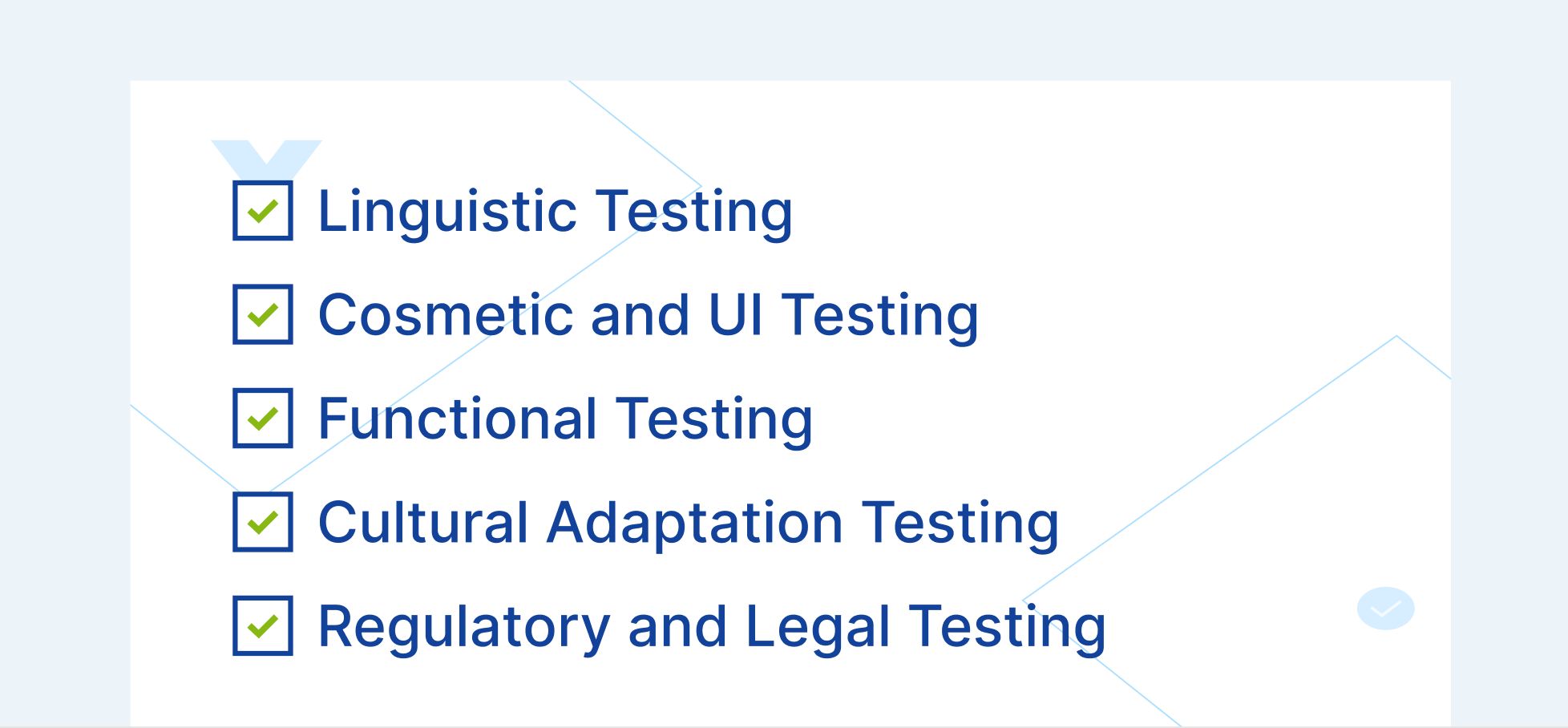
Linguistic testing validates the accuracy and quality of translated text within the application context. This goes beyond comparing translations to a glossary. It verifies that translations are contextually appropriate when displayed in the actual UI, that text fits within UI containers without truncation or overlap, that translated text maintains the correct tone and register for the target audience, and that terminology is consistent across the entire application.
Context is critical. A word like "file" translates differently depending on whether it refers to a computer file, a physical folder, or a legal filing. Linguistic testing must verify that translations are correct within their specific application context, not just linguistically accurate in isolation.
Localized applications frequently suffer from UI defects caused by text length variation across languages. German text is typically 30% longer than English. Chinese and Japanese text may be shorter but requires different line height and character spacing. Arabic and Hebrew require right to left (RTL) text direction, which fundamentally changes the layout flow.
Cosmetic testing verifies that translated text does not overflow containers, buttons, or table columns, that layouts adjust correctly for text expansion and contraction, that right to left layouts mirror correctly (navigation, alignment, icon placement), that fonts render correctly for all target scripts (Latin, CJK, Arabic, Devanagari, Cyrillic), and that images containing text have been localized.
Functional localization testing verifies that the application works correctly when operating in the target locale. This includes date input and display formatting (MM/DD/YYYY vs DD/MM/YYYY vs YYYY/MM/DD), currency display and calculation accuracy, number formatting (decimal separators, thousands separators), address format validation (postal code patterns, state/province fields), phone number formatting and validation, sort order for localized content (alphabetical ordering varies across languages), and time zone handling and display.
A functional localization defect is more severe than a linguistic one. If a financial application displays amounts with commas as decimal separators (European format) in a US locale, or vice versa, users may misread $1.234 as one dollar and twenty three cents instead of one thousand two hundred thirty four dollars.
Cultural testing validates that the application respects the cultural norms and expectations of the target audience. This includes color symbolism (red signifies danger in Western cultures but luck in Chinese culture), iconography (a mailbox icon varies between US, UK, and Japanese postal systems), imagery (photos should reflect the local demographic), measurement units (metric vs imperial), calendar systems (Gregorian, Hijri, Buddhist), and cultural references in help text, marketing copy, and error messages.
Some localized content must comply with local regulations. This includes privacy policy and terms of service language, cookie consent mechanisms (GDPR in EU, LGPD in Brazil), tax display requirements, consumer protection disclosures, and accessibility standards that vary by jurisdiction.

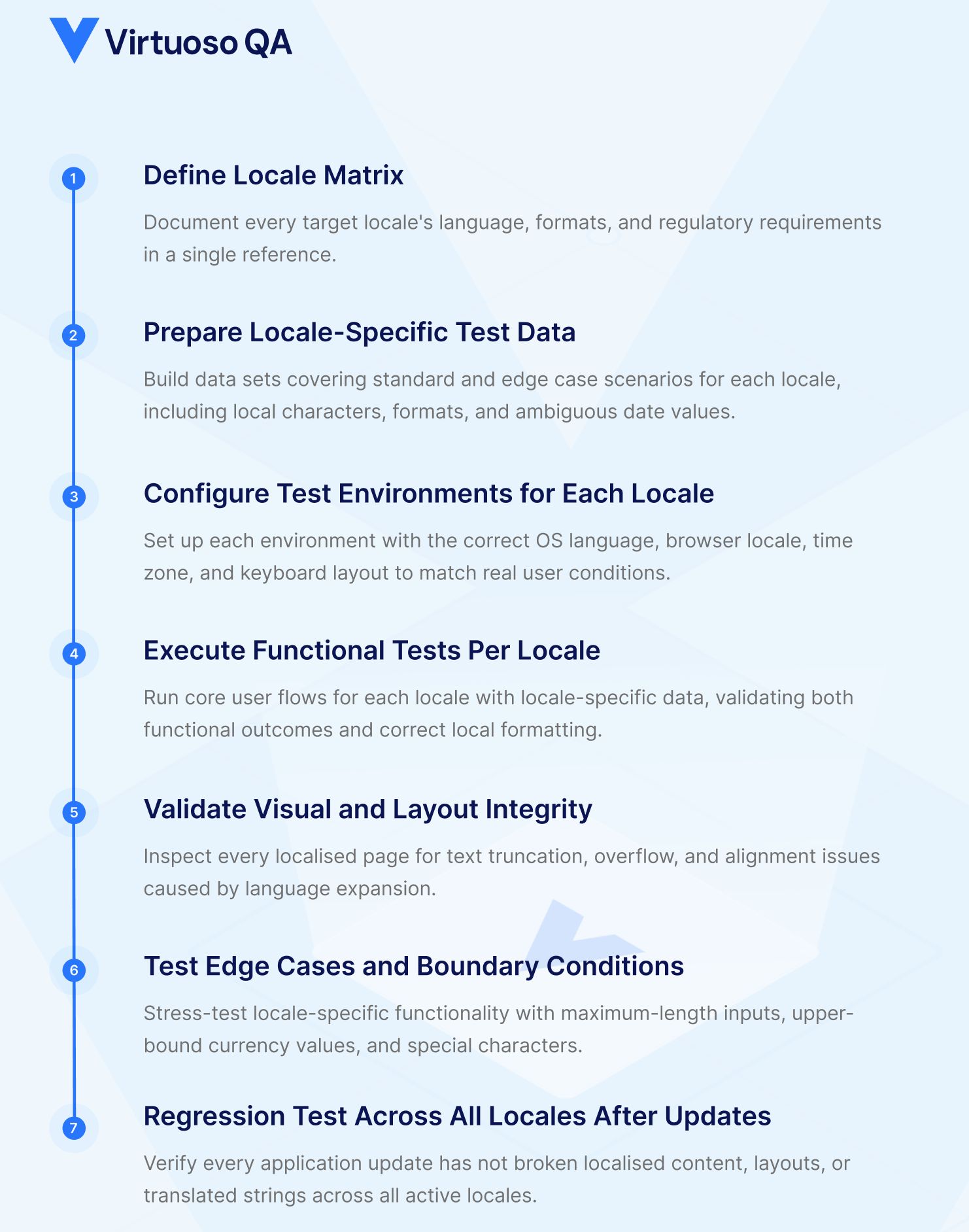
Identify every target locale and document the specific requirements for each. This includes language, date format, number format, currency, text direction, sort order, address format, phone format, and any regulatory requirements. The locale matrix becomes the reference document that all localization testing is validated against.
Create test data sets for each target locale that cover both standard and edge case scenarios. This includes names with locale specific characters (ü, ñ, é, kanji, Arabic script), addresses in the correct local format, phone numbers with country codes and local formatting, currency values that test decimal handling and thousands separators, and dates that are ambiguous across formats (is 03/04/2026 March 4th or April 3rd?).
Data driven testing approaches allow teams to run the same functional test across multiple locale data sets without rewriting tests. AI powered test data generation can create realistic, locale appropriate data automatically.
Set up test environments with the correct locale settings, including operating system language, browser locale, time zone, and keyboard layout. This ensures that tests run under the same conditions as actual users in each target market.
Cross browser testing across 2,000+ OS/browser/device configurations ensures that locale specific rendering issues are caught across the full matrix of environments that real users operate in.
Run the core functional test suite for each target locale with locale specific test data. Every critical user flow (registration, login, search, purchase, account management) must be validated in each locale. The test suite should verify both the functional outcome (the transaction completes correctly) and the locale presentation (dates, currencies, and text display in the correct format).
Self healing test automation is particularly valuable for localization testing because UI elements frequently change position, size, and label text across locales. AI powered element identification that uses contextual understanding rather than text matching adapts automatically when the same button reads "Submit" in English, "Einreichen" in German, and "Soumettre" in French.
Inspect every localized page for text truncation, overflow, alignment issues, and rendering defects. Pay special attention to pages with dense content (data tables, forms, dashboards) where text expansion creates the highest risk of layout breakage.
Snapshot testing capabilities can capture the visual state of each page per locale and flag visual differences that require review, catching layout regressions that functional tests alone miss.
Push the boundaries of locale specific functionality with edge cases: maximum length names in the target language, currency values at the upper bounds of display capacity, dates at locale specific boundaries (calendar system transitions, daylight saving time), and special characters that challenge encoding and rendering.
Every application update has the potential to break localized content. A UI redesign may not accommodate German text length. A new feature may not have translated strings. A database change may alter how locale specific data is stored. Regression testing across all active locales must be part of every release cycle.
This is where the test matrix challenge becomes most acute. If you support 15 locales, every regression cycle must cover 15 variants of every critical flow. Without automated testing, this is either impossibly expensive or dangerously incomplete.

An enterprise application supporting 10 languages, tested across 5 browsers and 3 device types, requires 150 configurations per test scenario. If the regression suite contains 200 test scenarios, that is 30,000 test executions per release cycle. Manual execution is not feasible.
Parameterized testing with locale specific data sets enables the same automated test journey to execute across every locale. A checkout flow test authored once can run with US English test data, German test data, Japanese test data, and Arabic test data, validating both functional correctness and locale presentation in each execution.
Traditional automation that identifies elements by text content (for example, clicking a button labeled "Submit") breaks immediately in localized applications where that button reads differently in every language. AI augmented element identification uses multiple signals including visual position, DOM structure, and contextual role to identify elements regardless of their displayed text. This means a single automated test can execute across all locales without locale specific element mappings.
Composable testing creates reusable locale independent test components (login flow, search flow, checkout flow) that can be combined with locale specific data and validation checkpoints. The core user journey remains the same across all locales. Only the data inputs and expected format outputs change per locale. This architecture dramatically reduces the number of tests to maintain while expanding coverage across the locale matrix.
Integrating localization tests into CI/CD pipelines ensures that every code change is validated across all active locales before deployment. This catches localization regressions at the point of introduction rather than during pre release testing when the fix is more expensive and the timeline is compressed.
All user facing text is translated for the target locale. Translations are contextually appropriate within the application UI. No placeholder or untranslated strings remain. Text fits within UI containers without truncation or overflow. Font rendering is correct for the target script. String concatenation does not produce grammatically incorrect translations.
Date formats match locale conventions. Number formats use correct decimal and thousands separators. Currency symbols and placement are correct. Time display follows locale conventions (12 hour vs 24 hour). Measurement units are appropriate for the locale.
Right to left layouts render correctly for applicable locales. UI elements resize appropriately for text expansion. Images containing text are localized. Icons and symbols are culturally appropriate. No hardcoded text in images.
Input validation accepts locale specific formats. Sort order follows locale collation rules. Search functions handle locale specific characters. Payment processing supports local payment methods and currencies. Address forms adapt to local address structures.
Privacy policies are available in the local language. Cookie consent mechanisms comply with local regulations. Required legal disclosures are present and correct. Tax display follows local requirements.
Most automation investments stall because maintenance consumes the time meant for building new coverage. Every UI change breaks tests. Every broken test needs a human fix. The suite grows slower than the application, and coverage gaps widen with every sprint.
Virtuoso QA eliminates that cycle. Tests are authored in plain English, no coding skills required. AI-powered self-healing adapts to application changes automatically. Parallel execution runs across 2,000+ browser and device combinations without any infrastructure setup. And when tests fail, AI Root Cause Analysis tells you exactly why, separating real defects from noise in seconds.
The result is a test suite that scales with your product rather than fighting against it.


Try Virtuoso QA in Action
See how Virtuoso QA transforms plain English into fully executable tests within seconds.
